
PNC AI Assistant for low cash mode (LCM)
Time Line
Oct. 2026
Role
Experience designer
Teams
PNC AI Team
LCM product team
Tools
Figma
the brief
Bringing Low Cash Mode into the AI Assistant so customers can find overdraft protection to fix a slip faster, before it costs them.
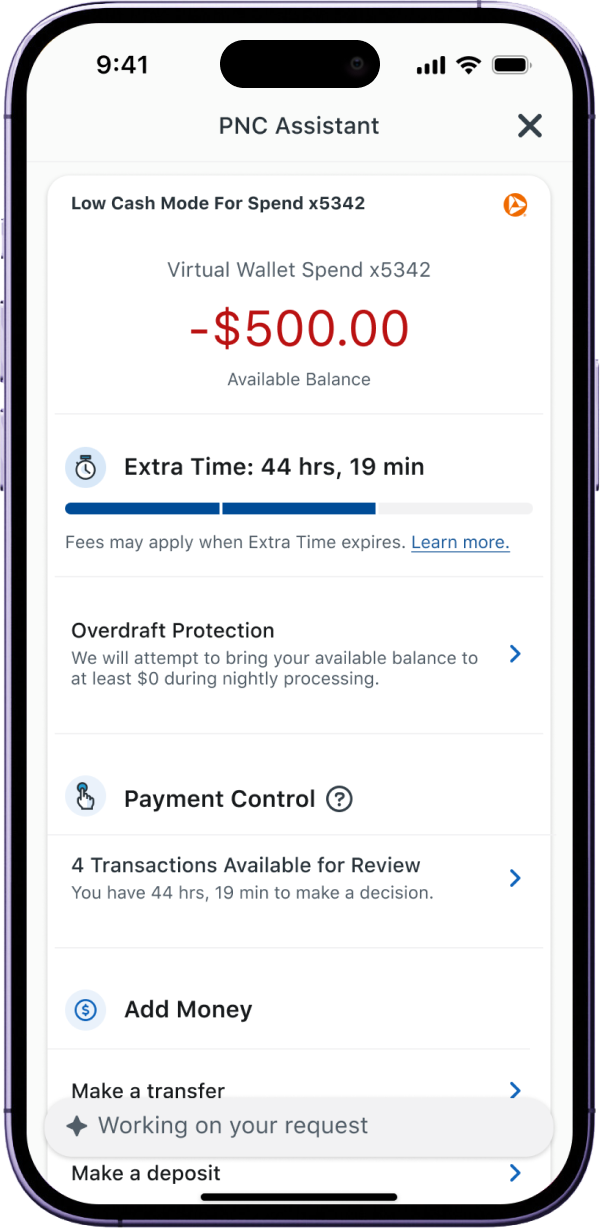
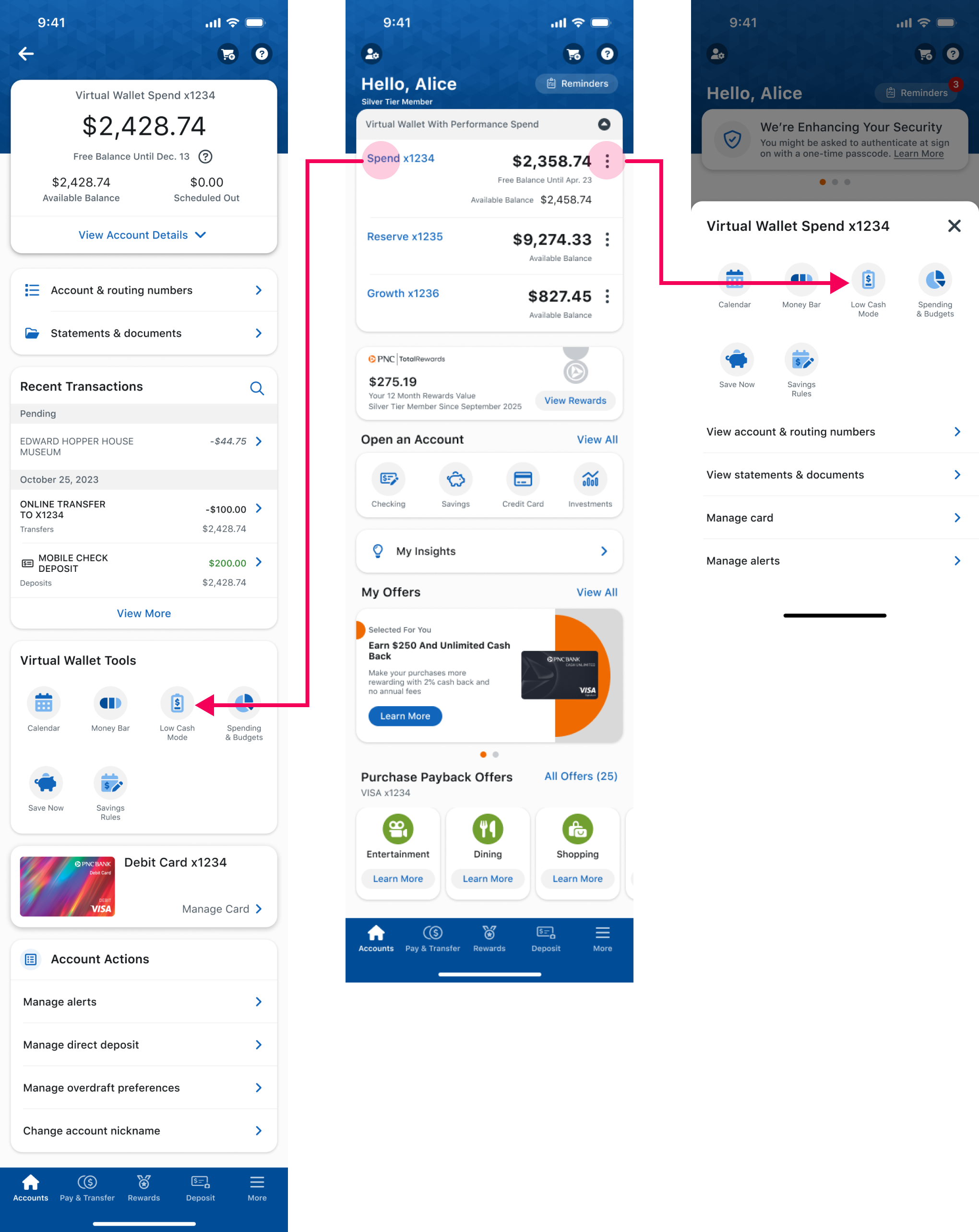
This project brings LCM into PNC’s AI Assistant, which is still in development. Instead of hunting through menus, customers can ask the Assistant to take them straight to the feature, resolve the issue faster, and set up thresholds and alerts so it doesn’t happen again.
impact
Find it faster. Fix it sooner. Keep your money.
Bringing Low Cash Mode into the AI Assistant is tested to cut the navigation time from 30 seconds to 6, an 80% (24-second) improvement. Faster discovery also means fewer customers learn about LCM only after an overdraft, and PNC estimates a 60% reduction in related customer support calls.

80% (24s)
Tested Navigation time Reduced
60%
Estimated Support Call drop
Less Overdue Fine
Quicker responses
the people
Stressful customers in money-losing moment.
Customers who are at risk of overdraft, or who have just gone negative. Most discover LCM only after their balance is already below zero, so they come to the feature in a stressful, money-losing moment rather than while planning ahead.

Problems
The feature nobody finds until it’s too late.
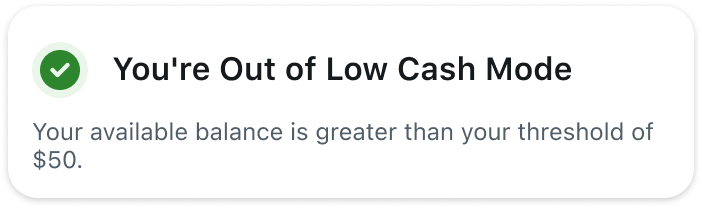
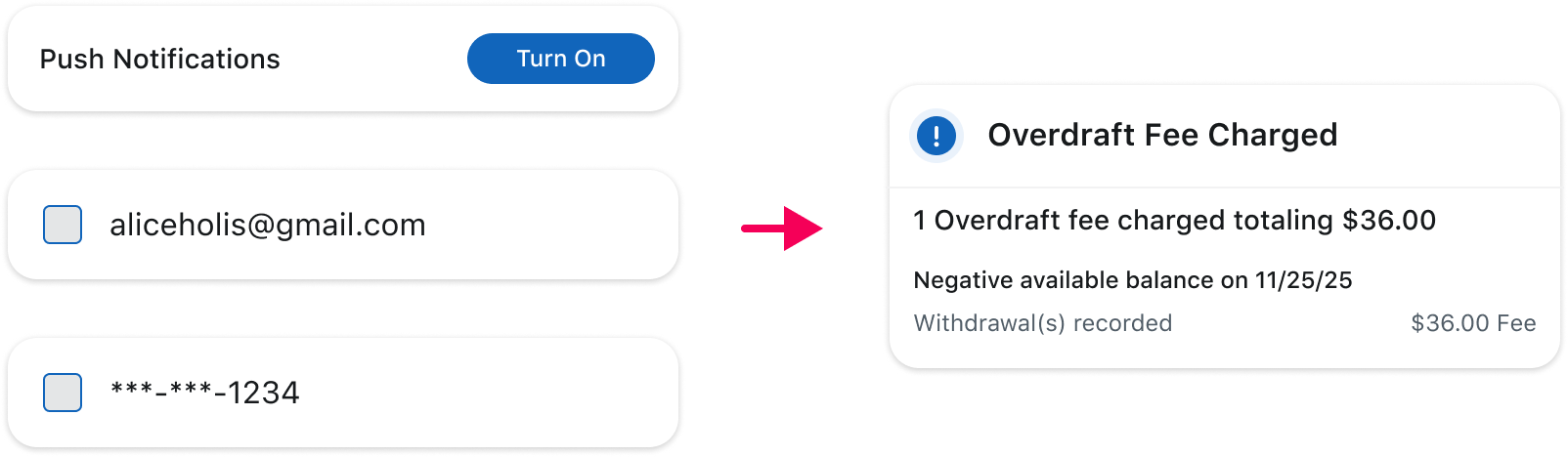
- LCM helps customers avoid overdraft fees, but most people only discover it after their balance has already gone negative.
- Even after the redesign, many customers don’t know LCM exists or can’t find it. It’s buried among the app’s many features, so people usually meet it after the damage is done. If the overdraft goes unresolved, a fee follows, which is real money that could have been avoided.
challengeS
How do we get LCM in front of customers at the right moment, instead of relying on them to find it in the navigation?
- Raising awareness of a feature that navigation alone hasn’t surfaced
- Helping people resolve a slip, not just warning them about one
- Setting them up so it doesn’t happen again
SOLUTIONS
Integrate LCM into the in-development AI Assistant so it can help users navigate to the feature, recover from a financial mistake, and set up thresholds and alerts for the future.
- Grouped with Alerts & Notifications and Settings: Placing LCM alongside these related areas means more of what customers might ask can surface it, so they meet the feature earlier instead of only after going negative.
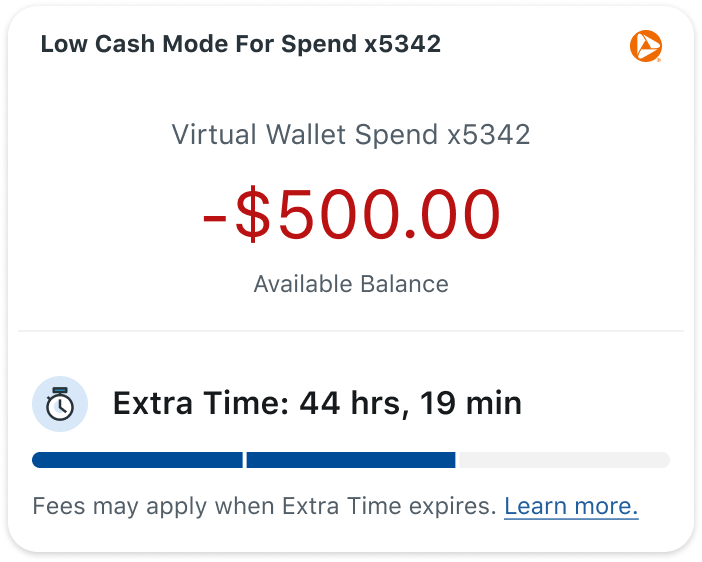
- Full feature integration: Most customers don’t know what LCM can do, so the Assistant surfaces its actions (dashboard, threshold, overdraft protection, payment control, settings) in context, right when they’re relevant. Customers learn what’s possible while they’re using it.
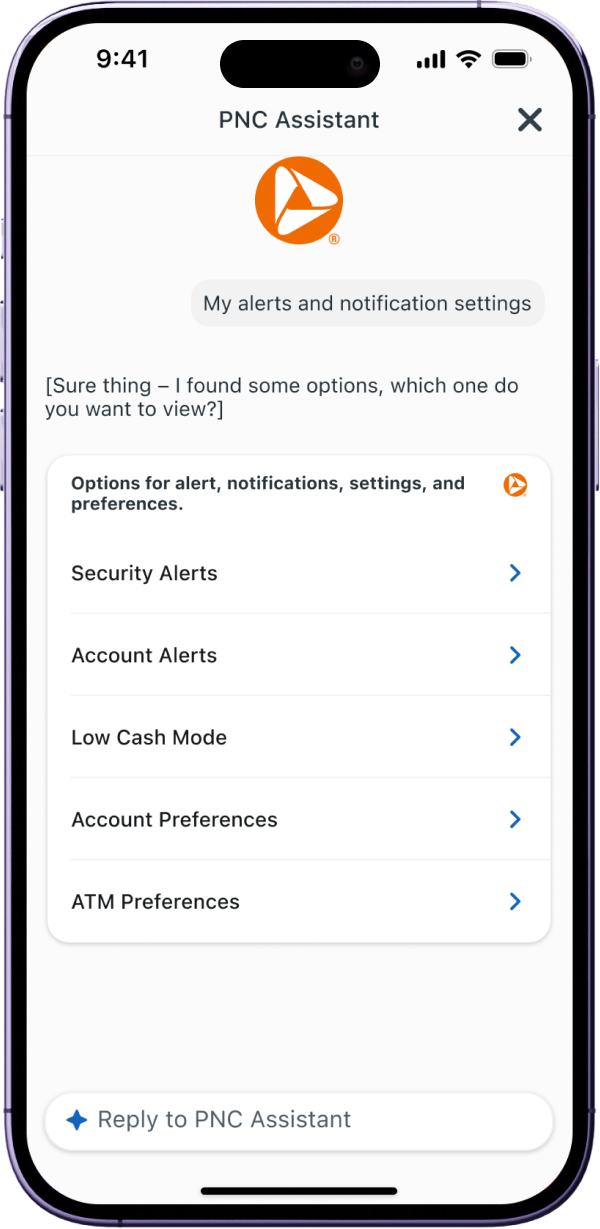
Low Cash Mode Grouped with other alerts & Settings Options
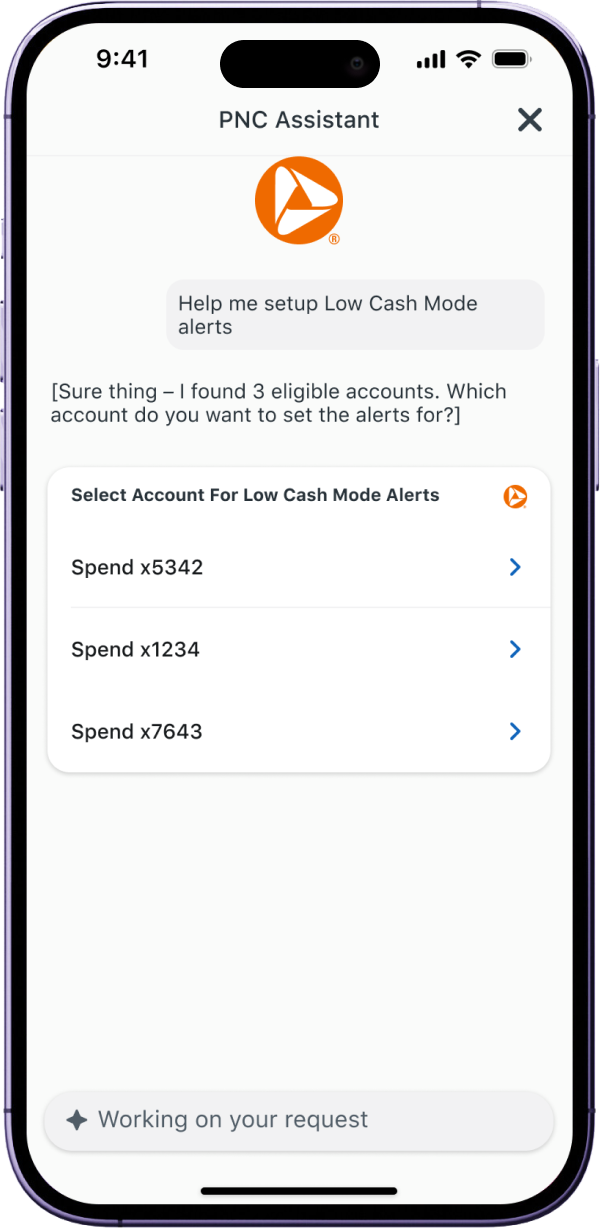
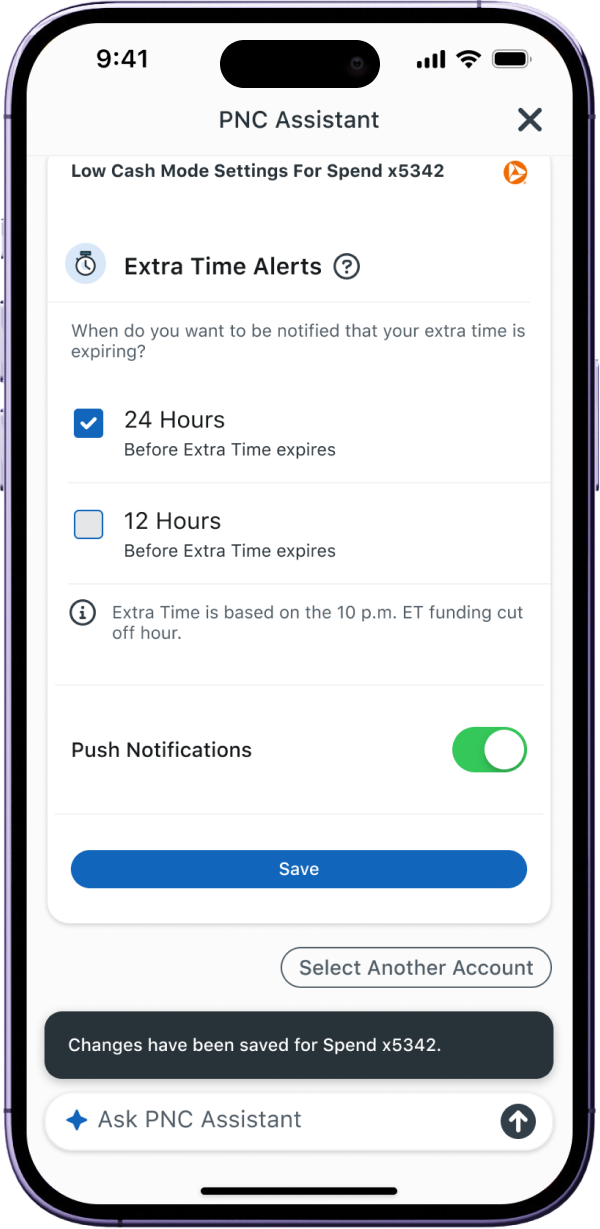
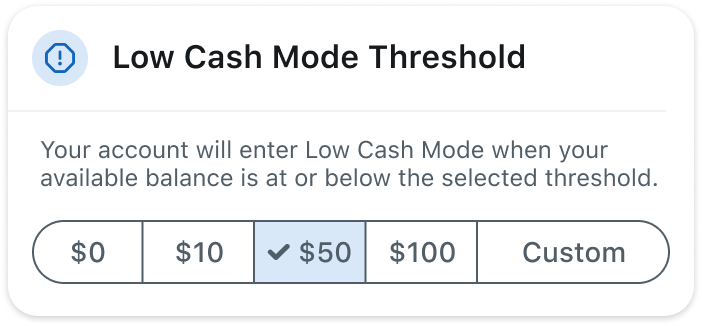
Low Cash mode Settings
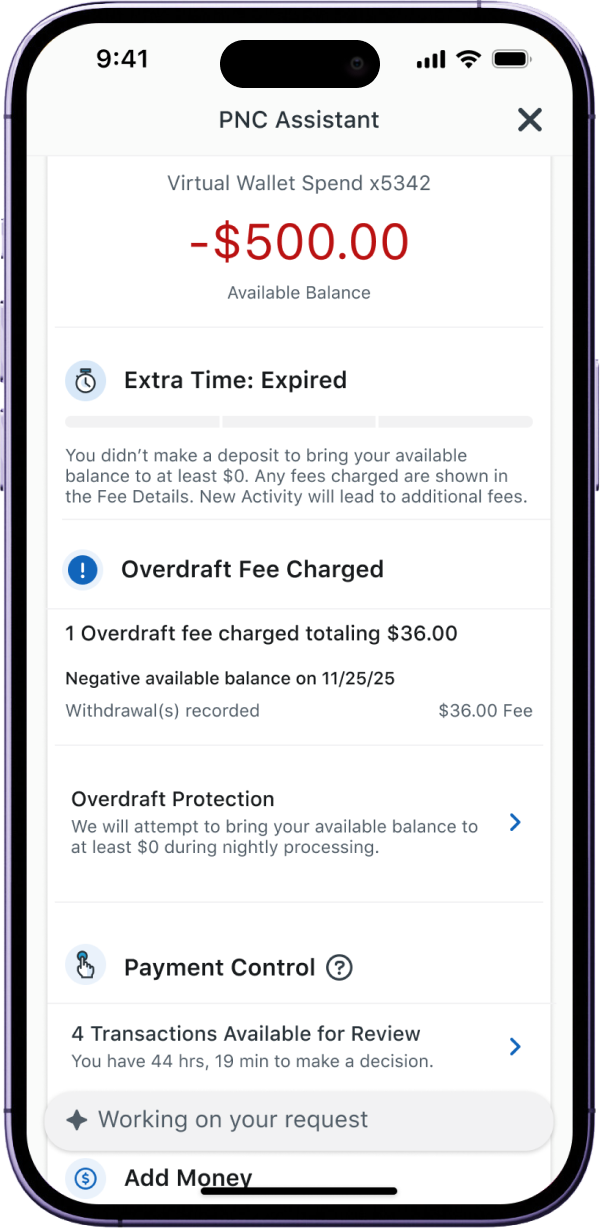
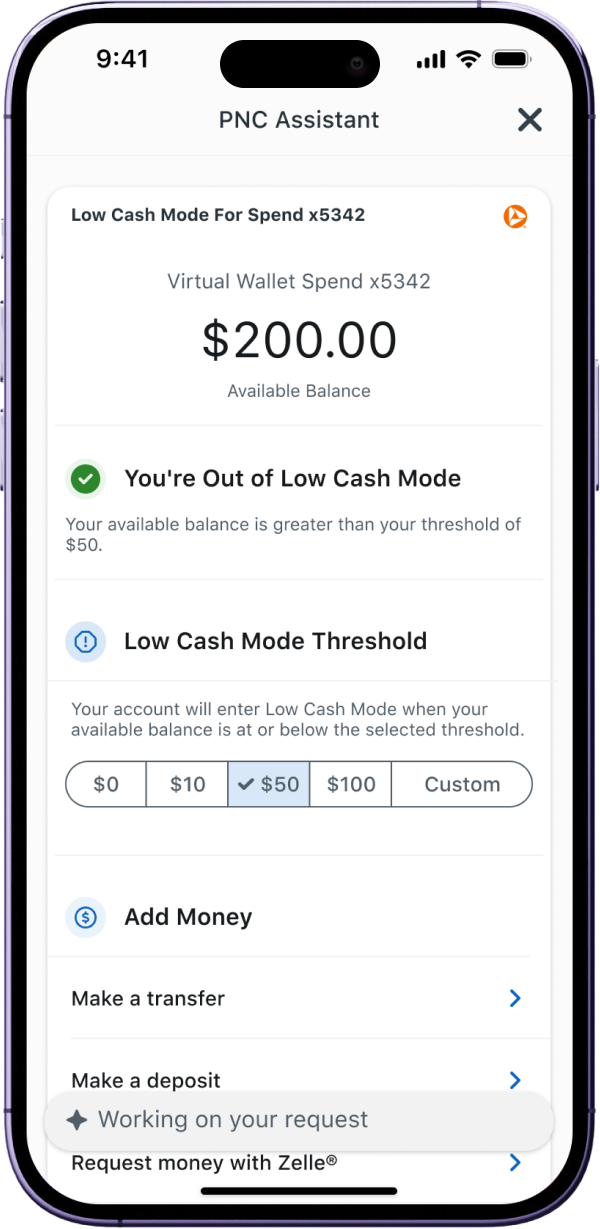
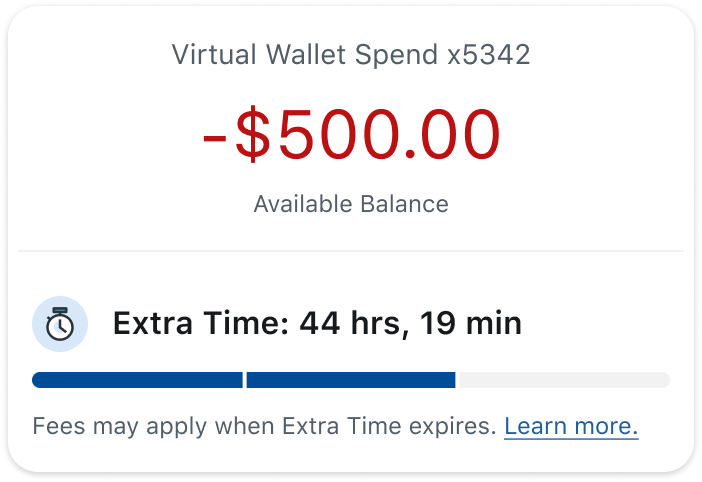
Low Cash mode Dashboard
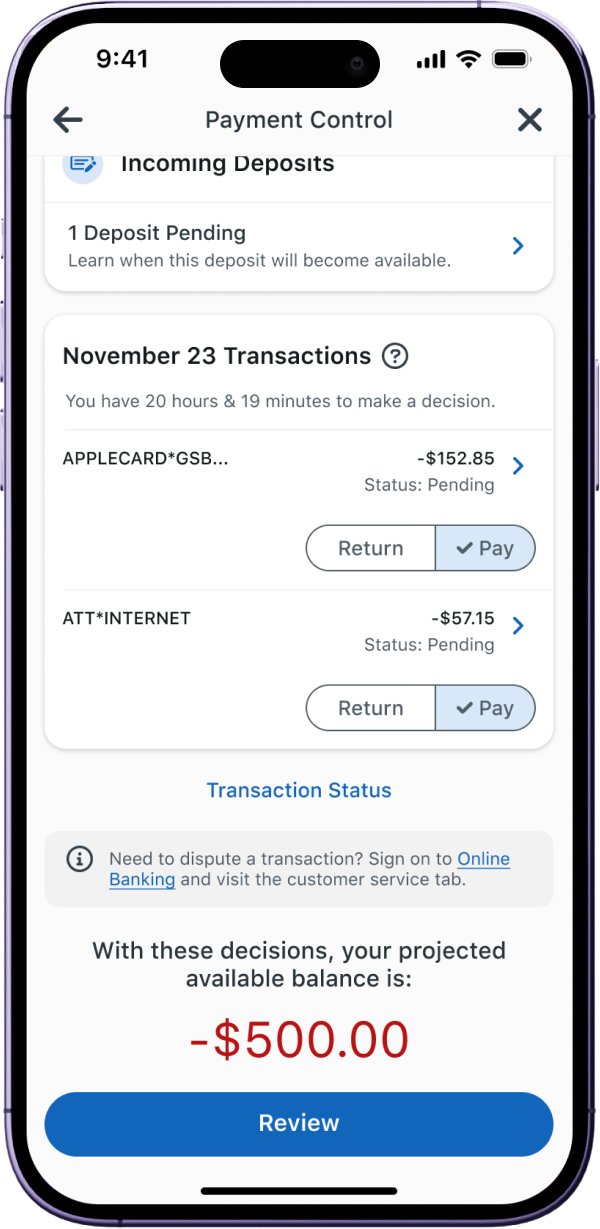
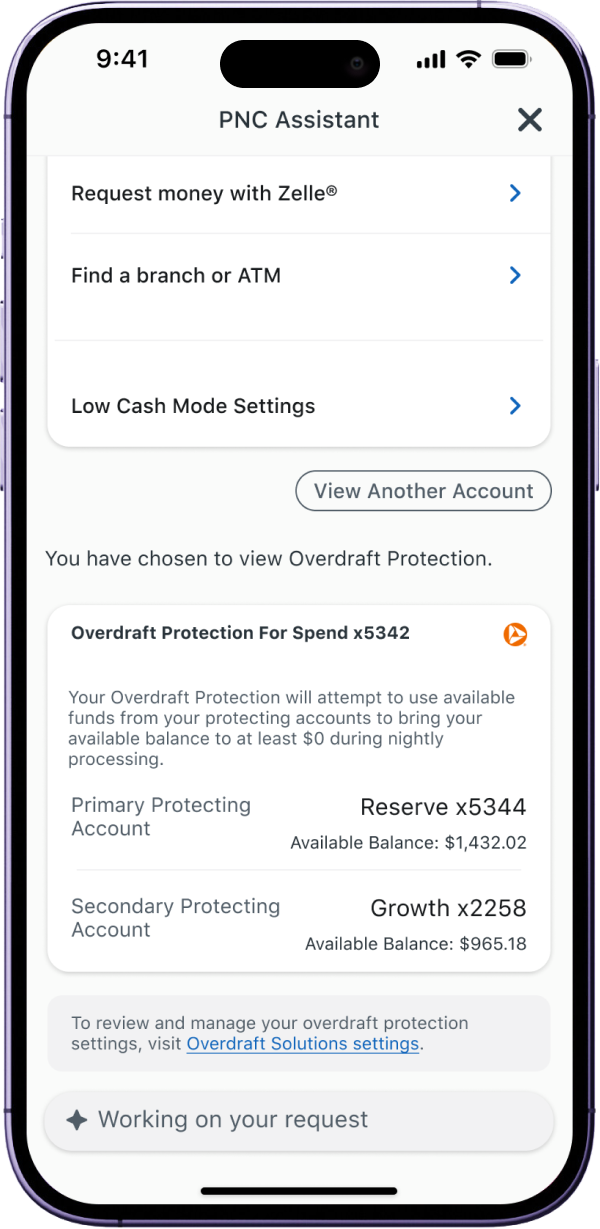
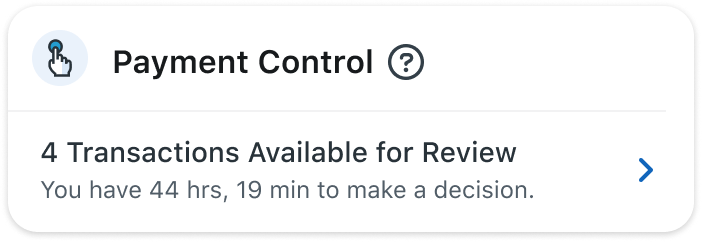
Payment Control
&
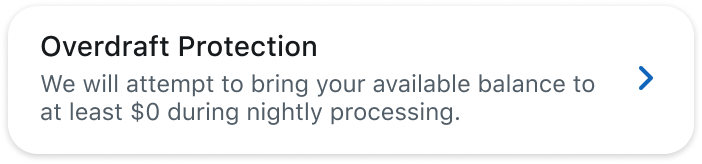
Overdraft Protection
Supported Prompts Examples
General Alerts
- Help me set up alerts
- Set up alerts
- Manage alerts
- Show me my alerts
- Review my alerts
Low Cash Mode Alerts
- Help me setup Low Cash Mode alerts
- Manage Low Cash Mode alerts
- Change my Low Cash Mode alerts
- Update my Low Cash Mode notifications
- Turn on Low Cash Mode alerts
- Configure Low Cash Mode alerts
Extra Time Alerts
- Turn on my Extra Time alerts
- Enable 24 hour alerts
- Enable 12 hour alerts
- Update my Extra Time alerts
- How much Extra Time do I have?
- Is my Extra Time active?
- When does Extra Time expire?
Status
- Show my Low Cash Mode status
- Open Low Cash Mode
- Am I in Low Cash Mode?
- Show my dashboard
- Low Cash Mode dashboard
Balance
- What's my available balance?
- How much money do I have?
- Am I negative?
Extra Time
- How much Extra Time do I have?
- Is my Extra Time active?
- When does Extra Time expire?
Payment Control
- Show Payment Control
- Can I return transactions?
- What transactions can I return?
- Open Payment Control
RETROSPECT
Small part of a bigger future.
As one of the designer got pulled into the AI initiative, I truly believe that AI is not just some news far away from life - there’s a bigger future. It keeps playing a larger and large part of our lives, in a good way. The efficiency, accuracy, and resources of AI really awe me in so many occasions. And in this 2-week project, I trust 100% that AI is going to make finance easier for people of all kinds.
This is a work in progress, built on a tight timeline and still being iterated.
Some content is condensed or hidden under NDA, feel free to reach out for more details.

antoniphzh@gmail.com
