

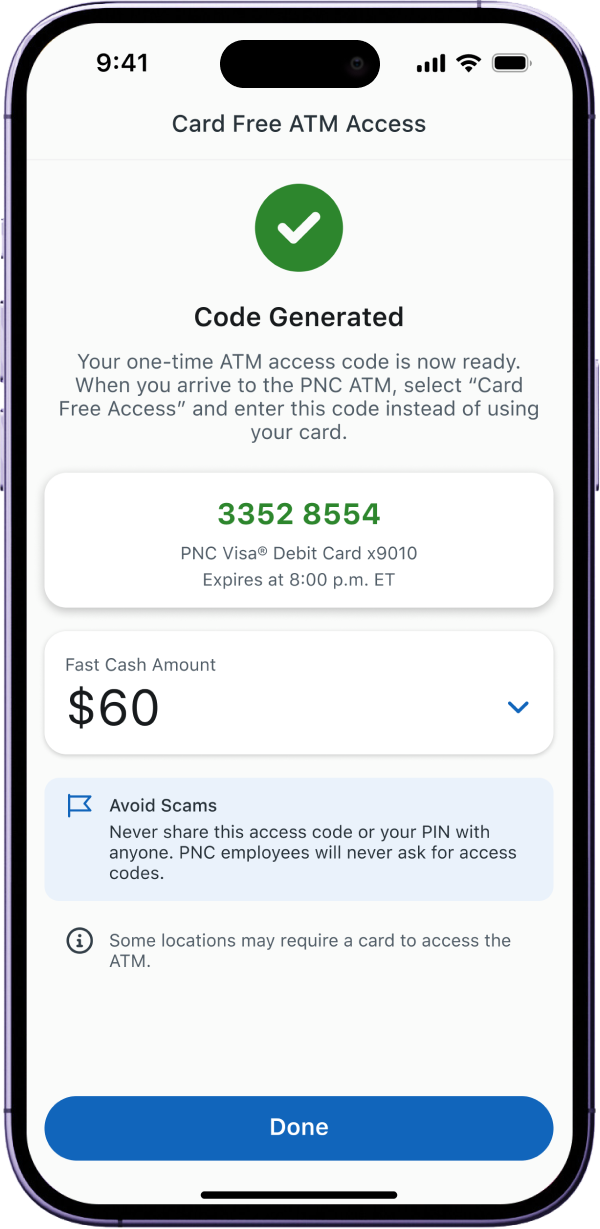

cardless withdrawal at PNC ATMs with PNC app
Time Line
2024 - 2026
Role
Experience designer
Teams
Mobile Team
Card free aTM product team
Omni 1 Dev team
Tools
Figma
Sketch
Firebase
TestFlight
the brief
No card? No problem!
Card Free ATM is a PNC Mobile app feature that lets customers complete ATM transactions without a physical debit card.
impact
Faster! More secure :)
The new design cut withdrawal time to under 8 seconds — a 33% (4-second) average improvement. The NFC enhancement can also reduce scam incidents and related complaints.

33% (4s)
Withdrawal time Reduced
55%
Complaints dropped

More Secure
less exposure to scams
the people
Power users and the fans.
Even though Card Free ATM Access is not the most frequently visited feature, it’s used consistently by a dedicated base of power users (70k/month). Withdrawals still make up 75% of all ATM transactions (6.3 million).

70k / Month
current usage

75% (6.3 Million)
ATM transactions are withdrawals
Problems & challenges
“Don’t make me read all that while walking or driving!” “It’s just a code, right?”
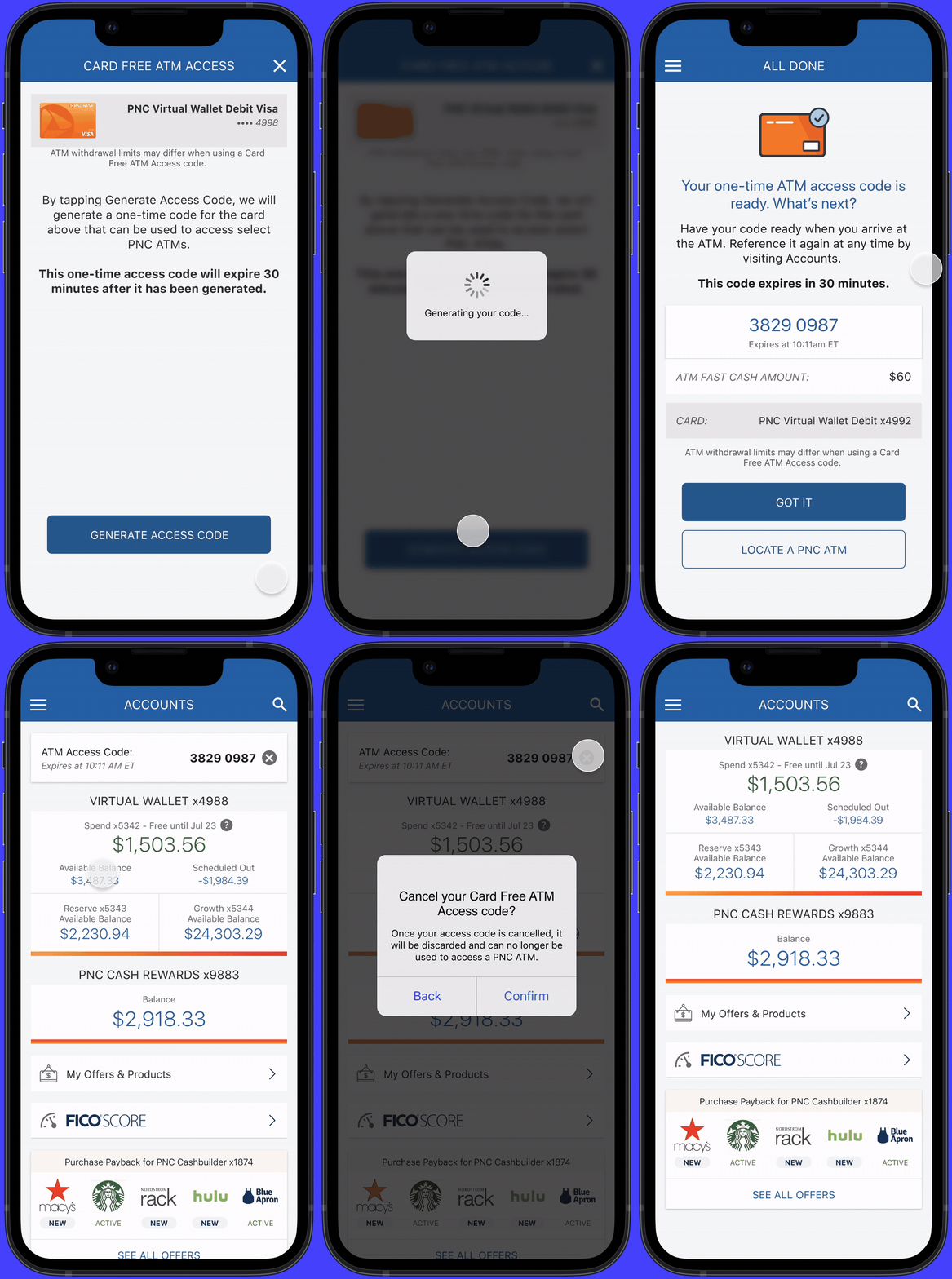
- The current information hierarchy is messy, and dense text slows users down, especially when they’re in the middle of walking or driving.
- Code-based access introduces an opportunity for scams, resulting in a large number of complaint calls.



Messy information slows down actions.



Time sensitive task requires speed.


Access code introduces scams.
messy hierarchy
information overload
exposed access code
insights
We like the App, yes NFC, more customization, less learning.
Insights from internal & external research, user testing, analysis, and J.D. Power Retail Banking Satisfaction Study.
Customers who have used a mobile app to withdraw money from ATMs are more satisfied with ATMs than those who have not used this feature.
NFC provides more secured process.
Pre-stage withdrawal was used by about 1/2 banks reviewed for a more customized experience.
Transitional phases improve user learning curve.
SOLUTIONS
Clean it, guide it, tap it.
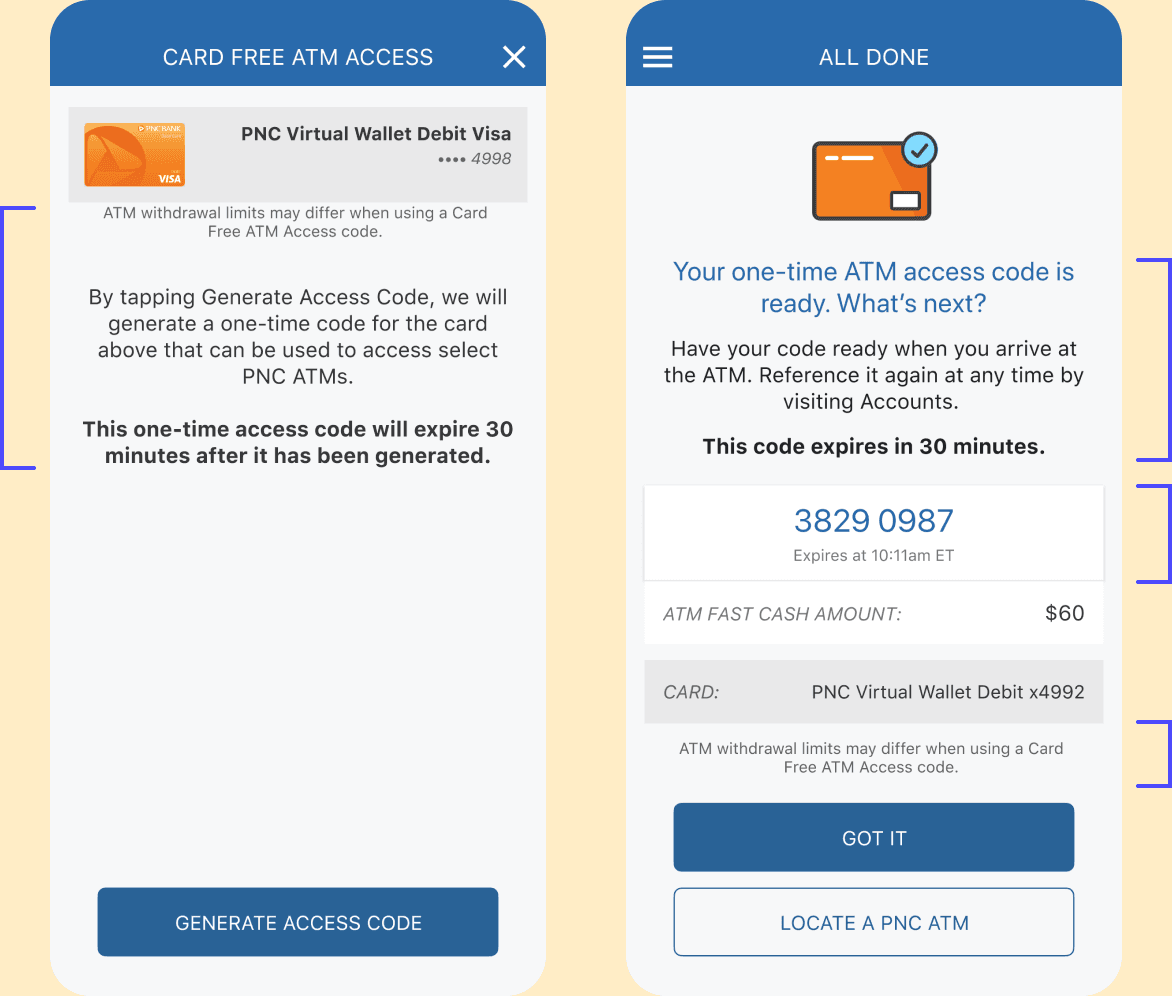
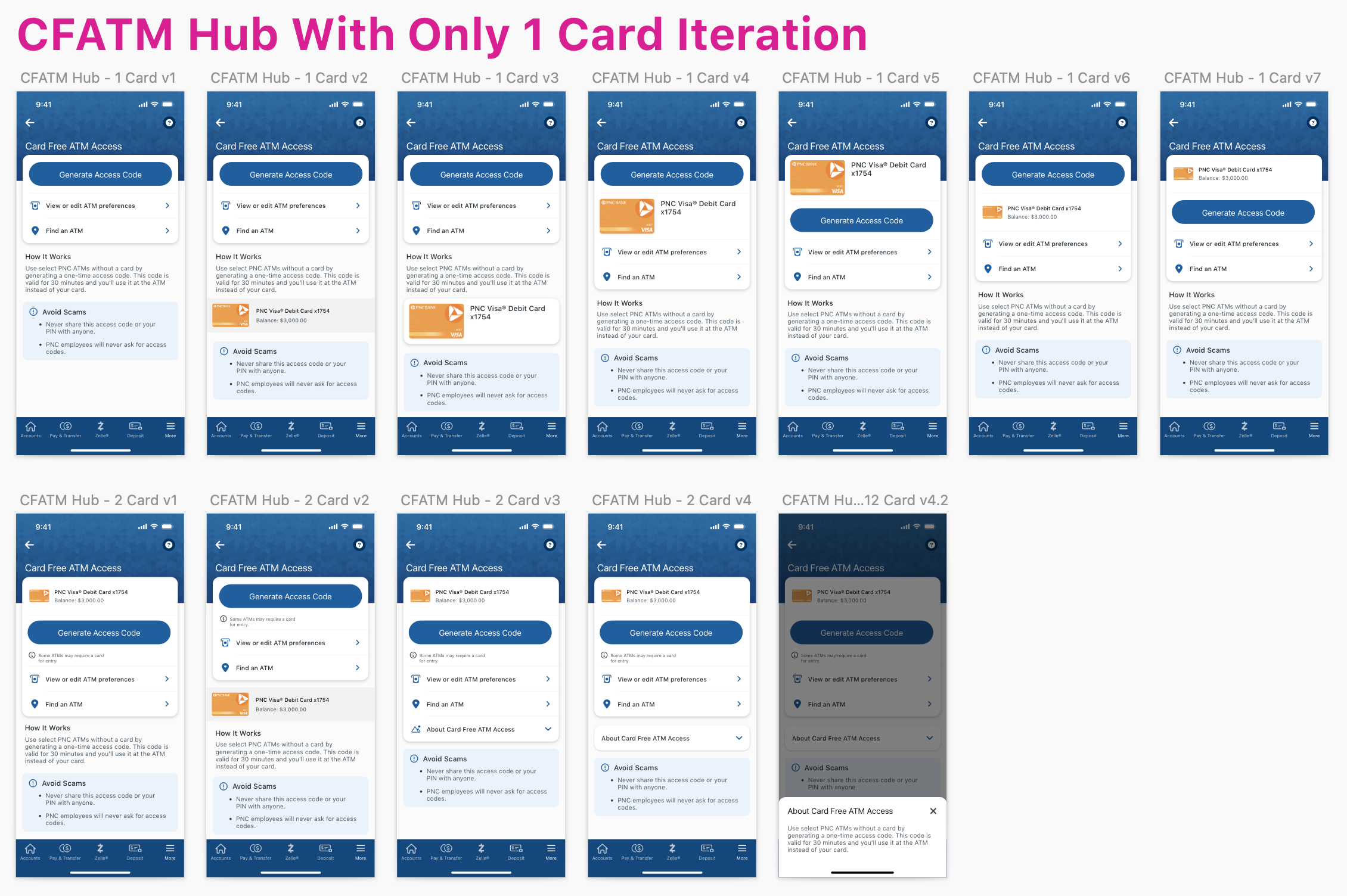
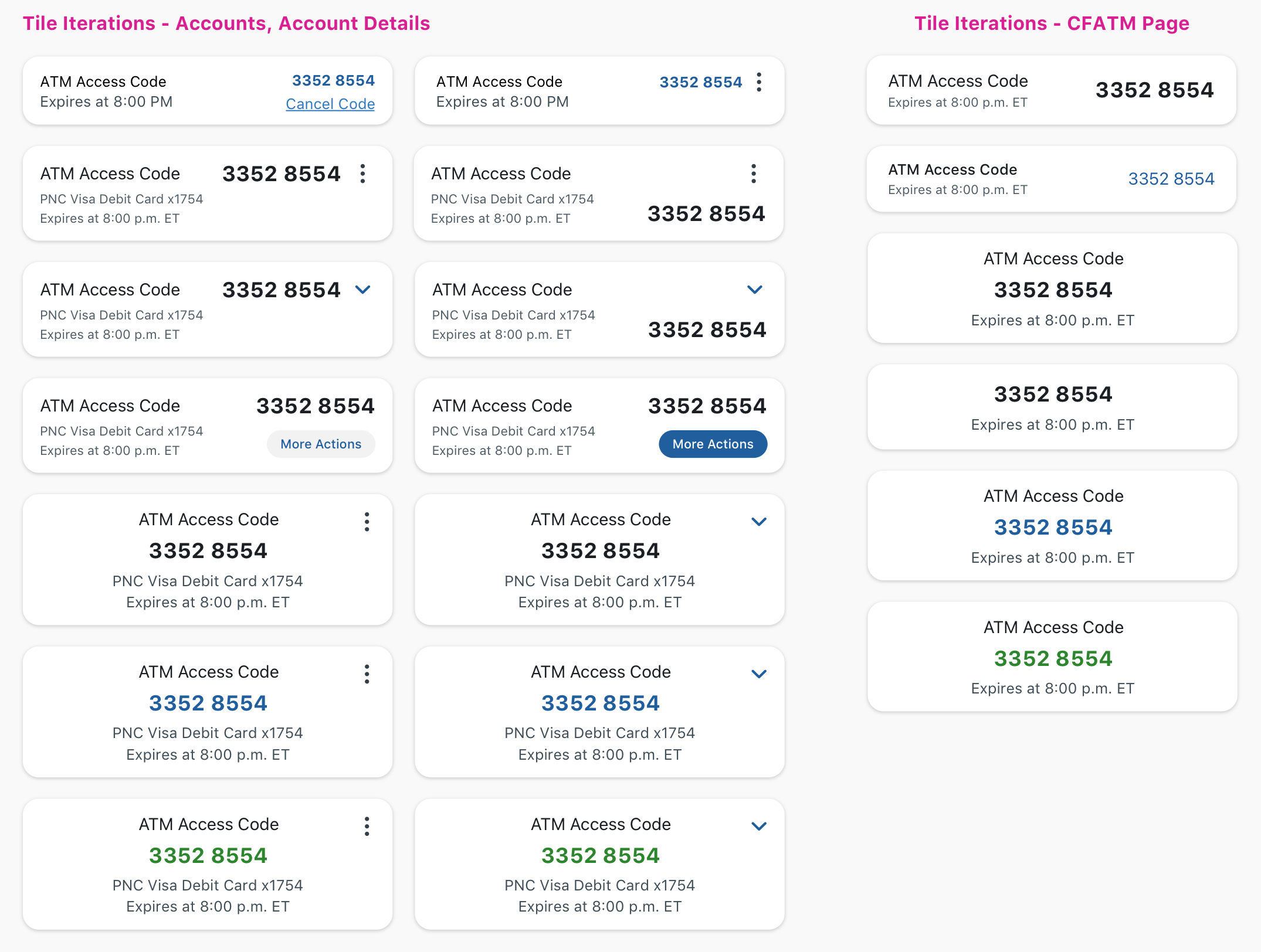
- Restructure the information hierarchy.
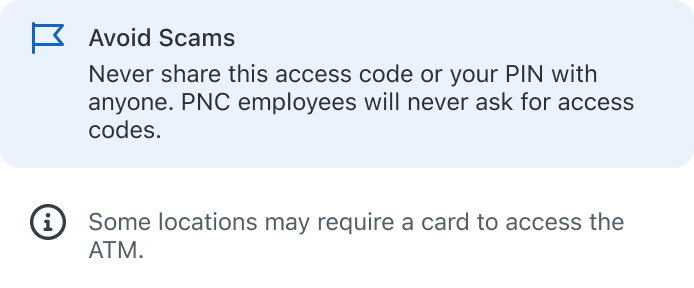
- Add more instructions, heads-ups, and alerts.
- Roll out NFC and customization improvements in Phase 2 for better security and faster setup.

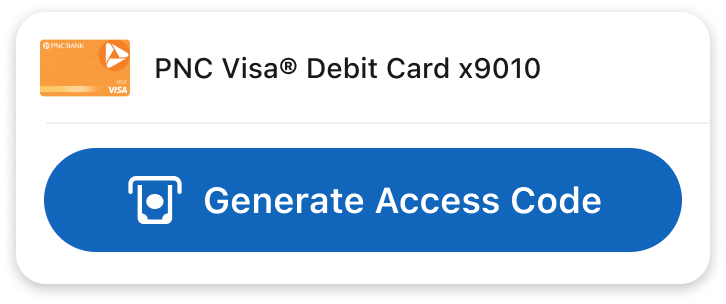
Primary Action
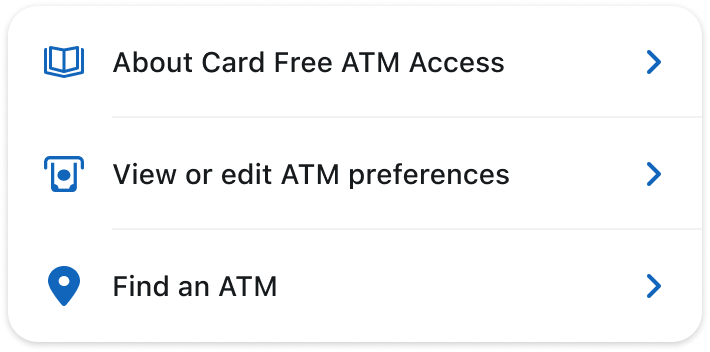
Secondary Action
More Information
hierarchy prioritization
organized information
Primary Information

Secondary Action

More Information
Clear Code display
hierarchy prioritization
Phase 2:
nFC Experience, pre-staged visit
NFC


OUTCOMES
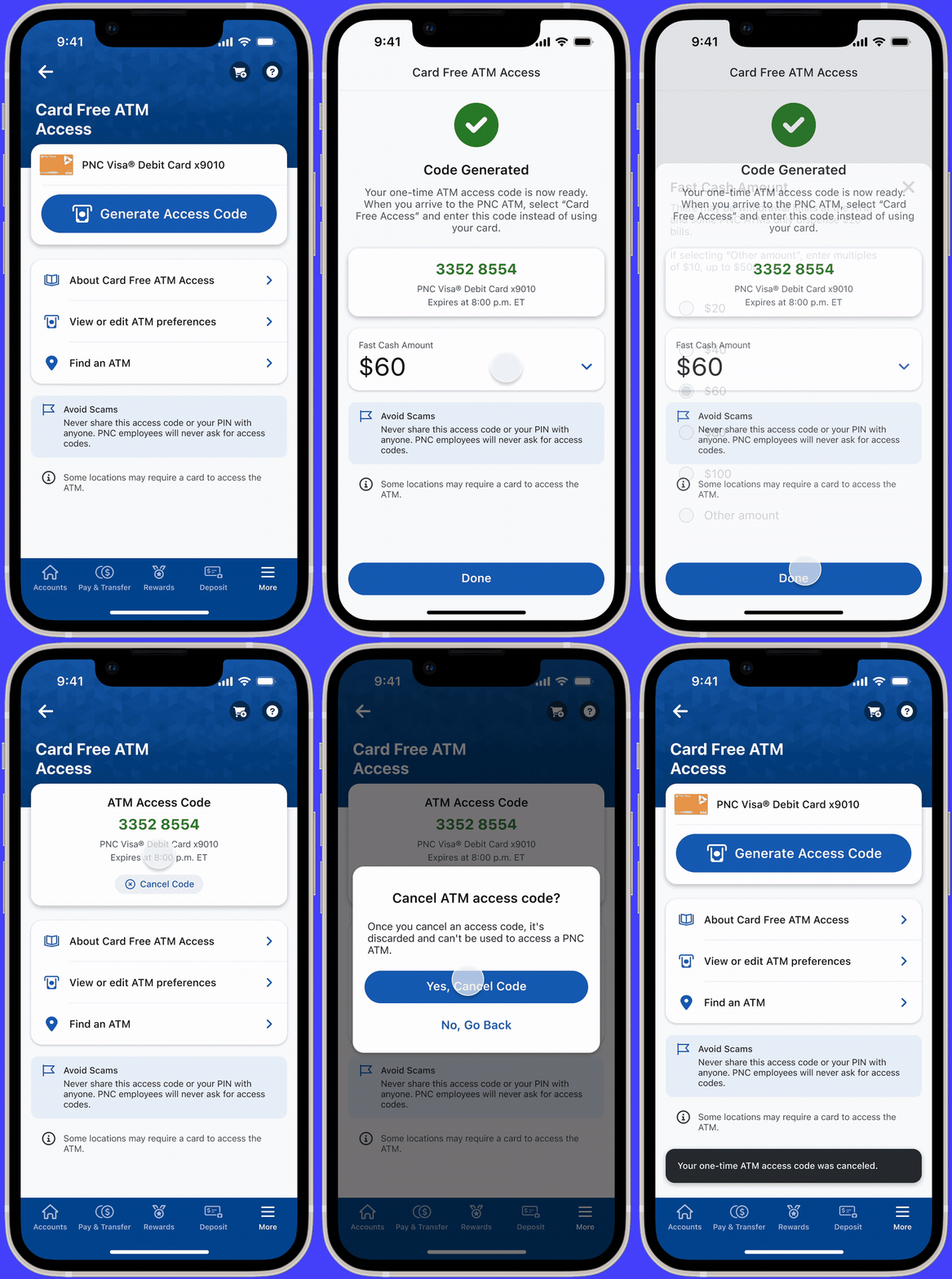
Speed comes first!
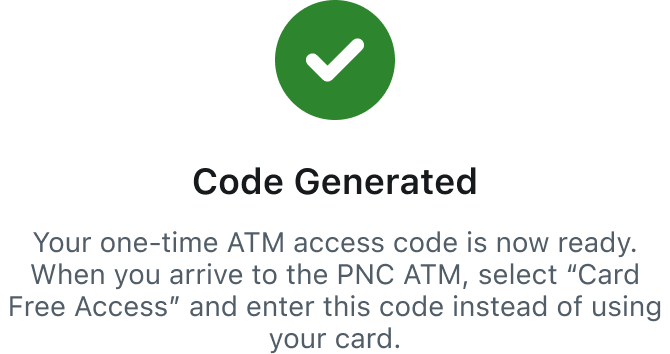
Phase one keeps the access code but speeds up the code generation process.
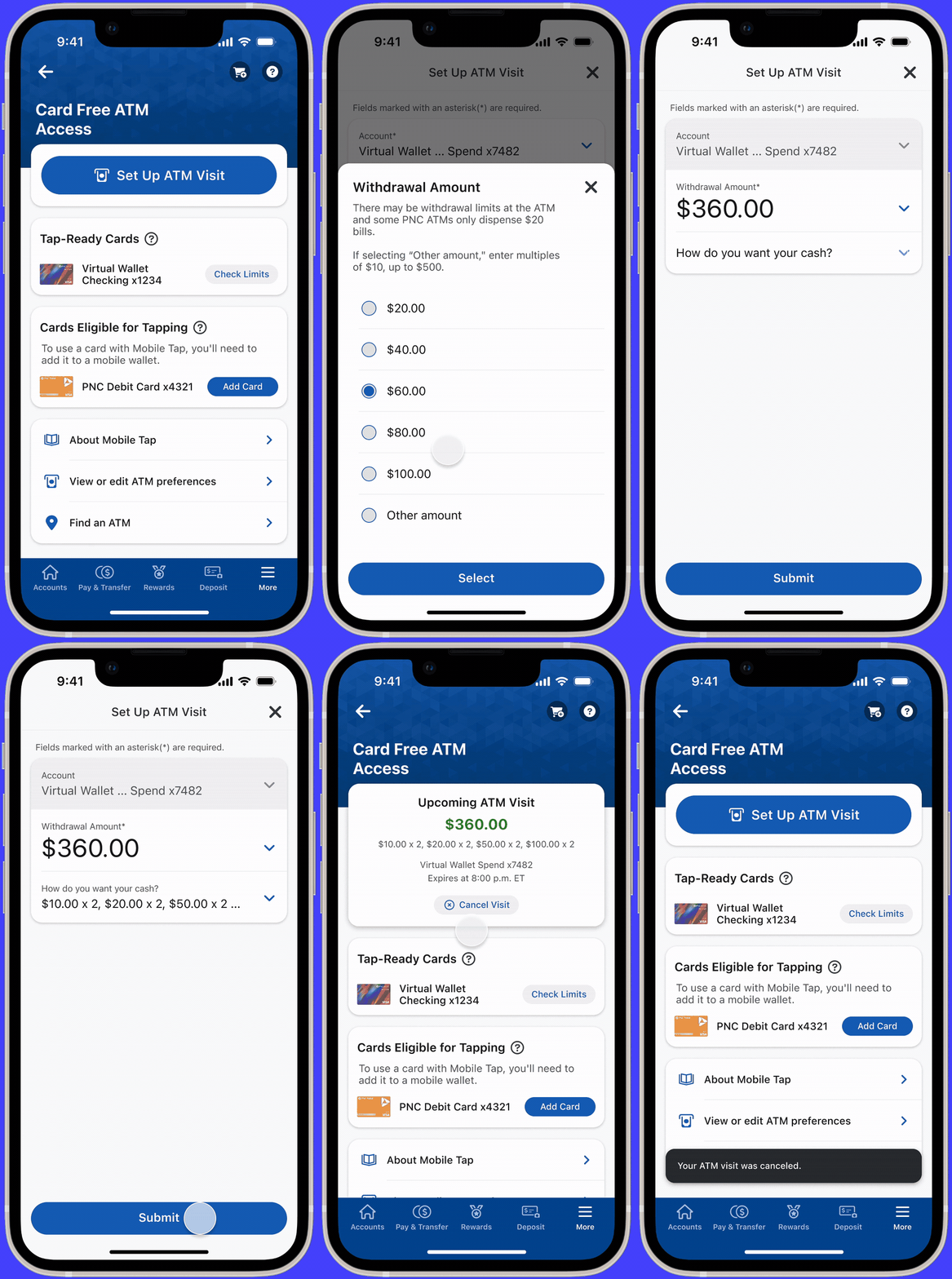
Security is everything!
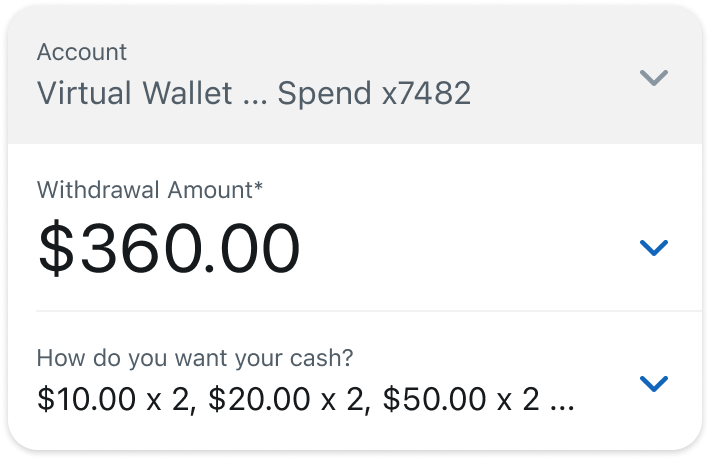
Phase two introduces NFC and pre-staged customization.
CONTRIBUTION
The tears and sweats.
Internal collaboration across customer data, design-phase iterations, and development-phase testing.
RETROSPECT
Features have life cycles too!
As the sole designer on this feature, I treated it like my firstborn — rather than focusing only on the small details, I had to plan for the long term and think through every stage of its life cycle. Progress came quickly, but so did compromises and pushback — from product managers, the content and research team, the accessibility team, and the development team. And once the feature launched, the work wasn’t done. There was still maintenance, ongoing testing in the dev environment, and planning for future iterations. All in all, I’m glad this feature has resonated with so many loyal users.
This case study has been condensed due to NDA restrictions, feel free to reach out for more details.

antoniphzh@gmail.com
